
Review & Approve Creators
Creators are applying to your campaign. Here is how to look through them and choose who to work with.
Open the applications list
Go to the menu that matches your campaign type:
- Job: Jobs menu → "Pending Job Applications"
- Barter: Barter menu → "Pending Barter Applications"
- UGC: UGC menu → "Pending UGC Applications"
For general campaigns, use Campaigns menu → "Review Applications".
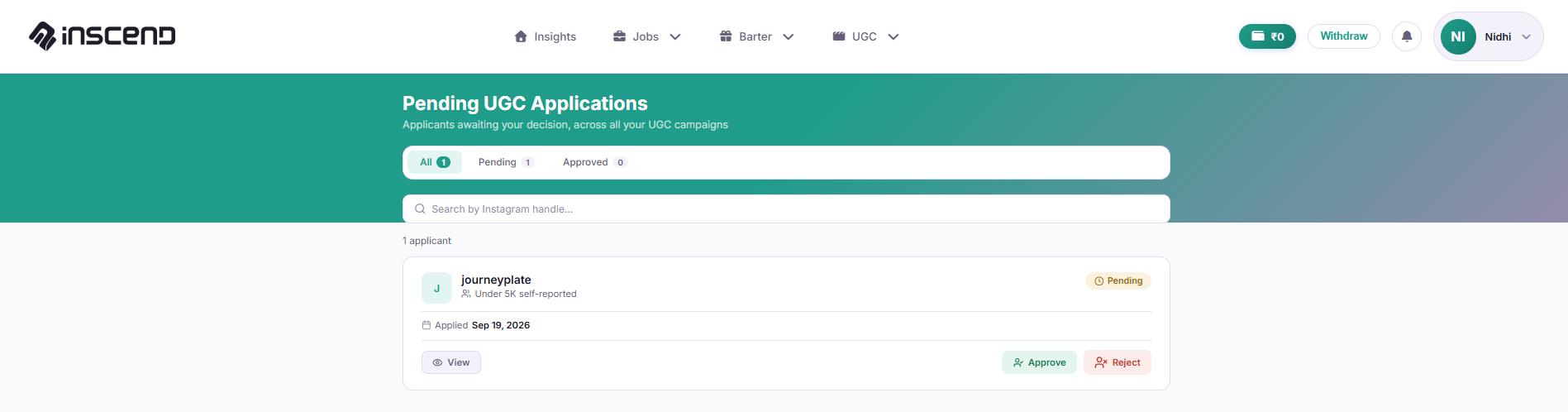
Check each creator's profile
Click a creator's name or photo to see their profile. Look at:
- Their follower count and past posts
- Their engagement (likes, comments) — this often matters more than follower count
- Any message they wrote in their application
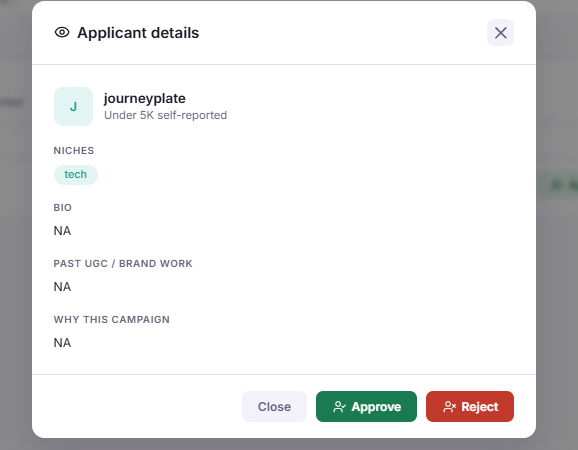
Click "Approve" or "Reject"
If the creator looks like a good fit, click "Approve". If not, click "Reject". Rejected creators are notified so they know to move on.
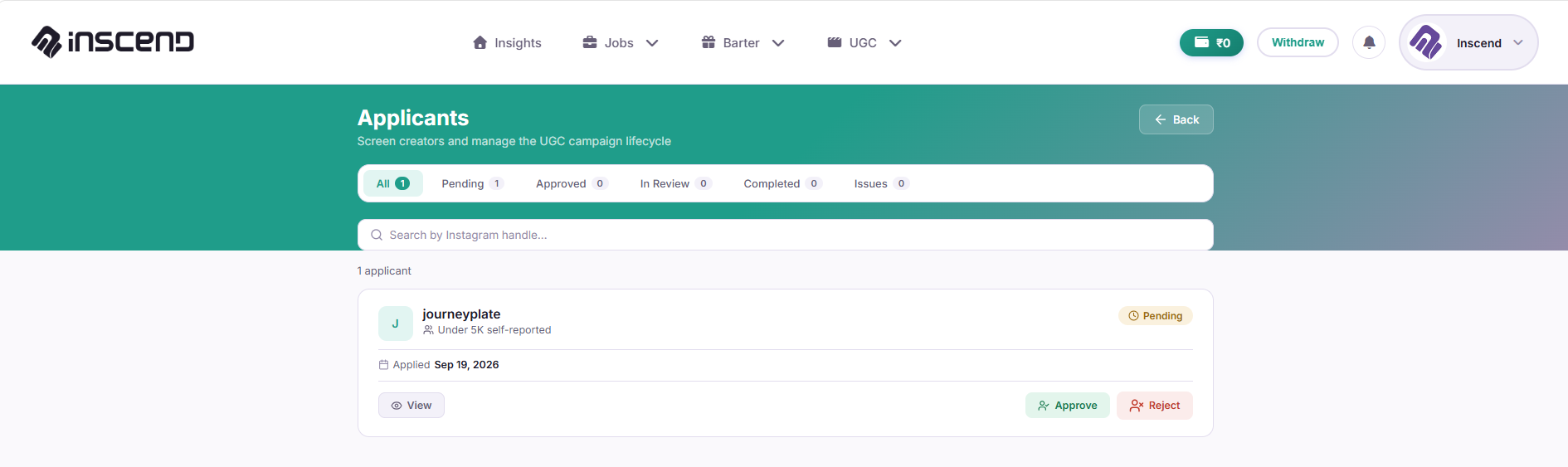
Wait for their content
Approved creators will now post or film their content, and hand it in for your approval. Learn what to do next in Approve Creator Content.
Still stuck?
Our team is happy to help you directly. Reach out any time.